Practical Examples
Clear Structure, Quizzes and Video in Moodle with Erika G. Spaich

Practical Examples
Clear Structure, Quizzes and Video in Moodle with Erika G. Spaich

Practical Examples

Practical Examples

Facts
Considerable effort has been invested in setting up Moodle to make information accessible in a clear and manageable way for both lecturers and students.
Students must prepare for the lectures by reading the material indicated as prioritised. Quizzes are used to help students assess their own knowledge after preparing for a lecture, before the lecture itself begins. If they answer incorrectly, they are informed and provided with the correct answer or an explanation. This is intended to help ensure that they have grasped the most fundamental concepts.
The videos introduce students to knowledge in a format that allows them to revisit the material whenever needed. This can be necessary both when they are working on an exercise in the laboratory and when they are working on the semester project, which the course is closely linked to, as students must apply knowledge and skills from this course in their project work.
Of the four principles for digitally supported learning, the following are relevant:
Variation:
Variation is created through the use of multiple learning elements. Many students find the course challenging, and it is therefore important to present topics to them in different ways to support the use of various “senses” in the learning situation. They read, listen, take notes, answer quizzes, complete mini-assigments, watch videos and carry out hands‑on tasks in the lab. This variation supports learning. At the same time, students experience increased motivation when engaging in many small activities, which encourage them to participate in different ways.
Co-determination and Authorization
Students gain co-determination by being able to take the quizzes and watch the videos when they want.
(You can read about their content below, or you can find additional information here: https://www.iaspbl.aau.dk/projects/principles-for-digitally-supported-pbl)
The course is fundamentally structured around teaching sessions consisting of two hours of lectures followed by two hours of group-based problem‑solving exercises. In addition, there is laboratory practical work in groups. The course supports project work carried out in the same groups. It is therefore delivered at double pace, as many of the competencies must be applied directly in the project work.
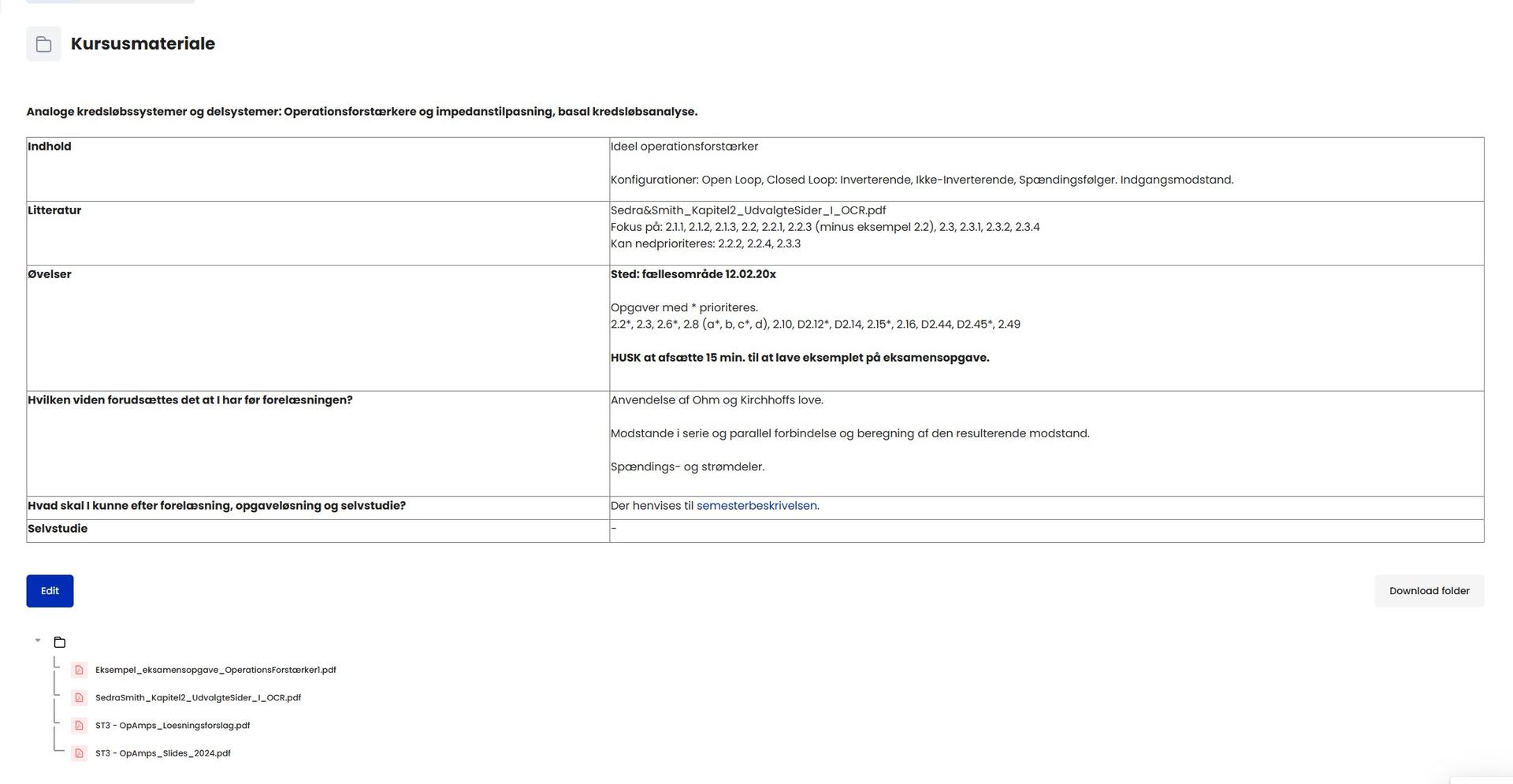
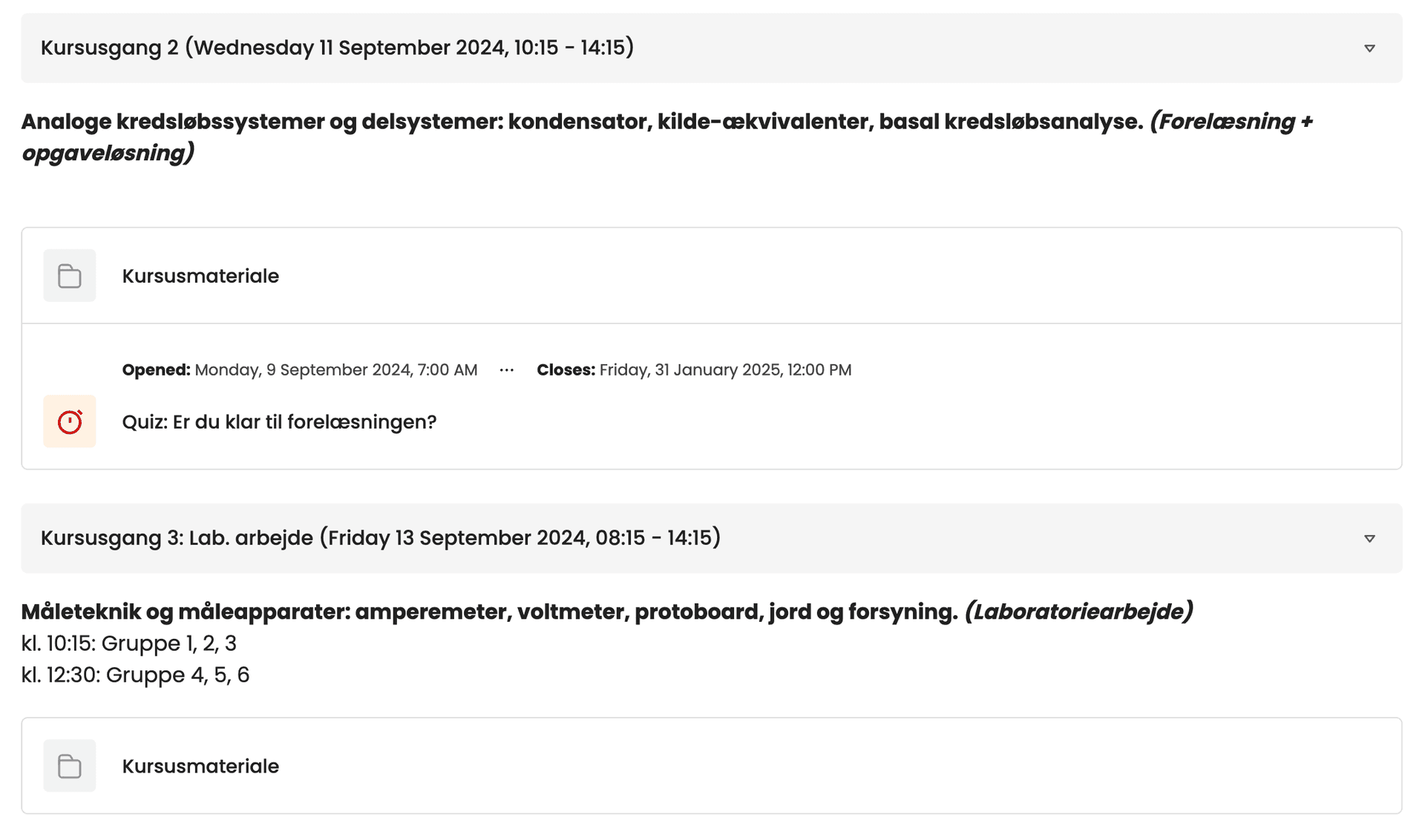
Moodle is organised with a very fixed structure. For each teaching session, there is a folder containing course material, and if the session is a lecture, a quiz is also included. The structure can be seen in the image below.


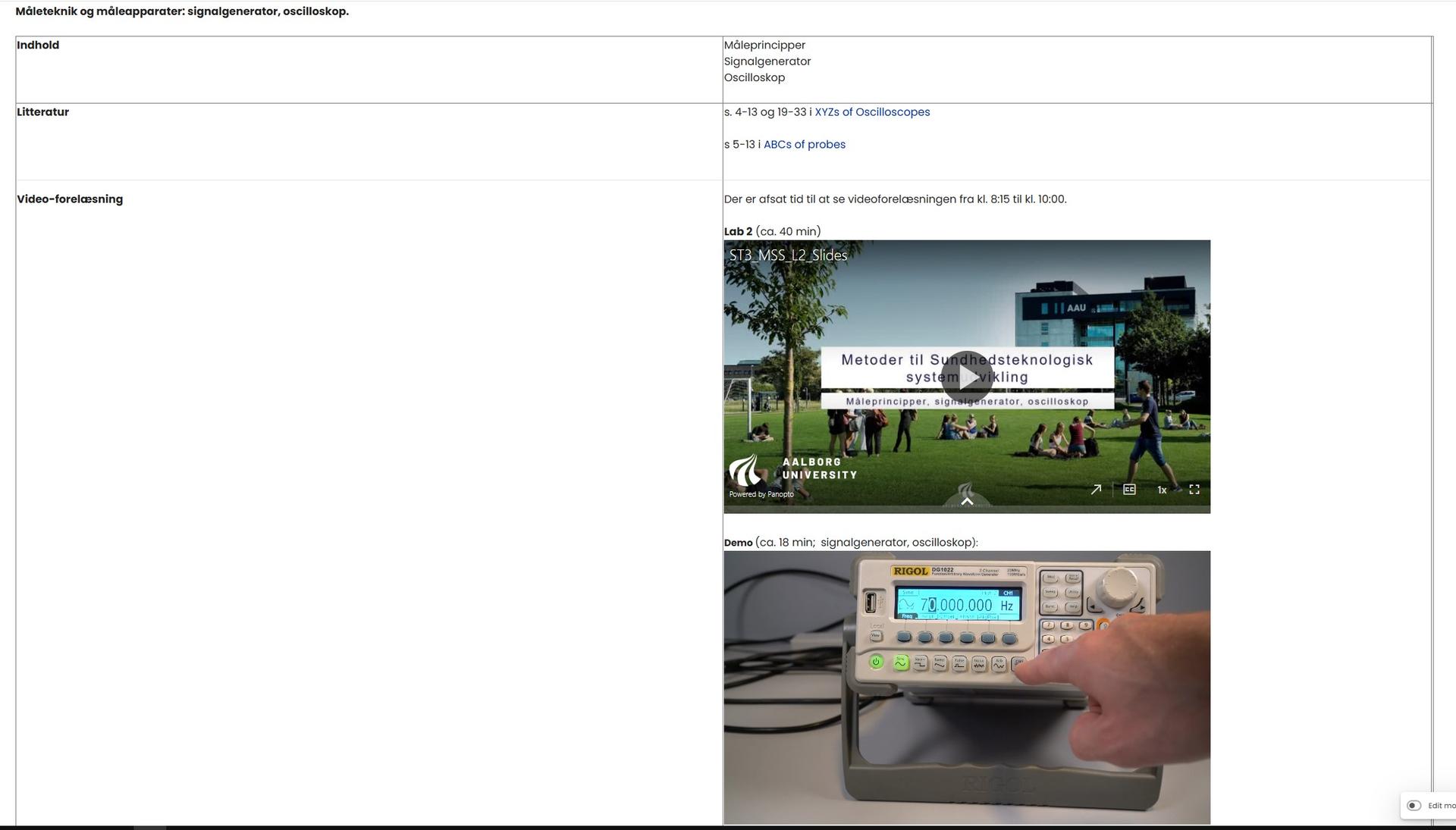
If it is a laboratory session, videos are embedded directly in the schedule. For example, this may appear as follows:

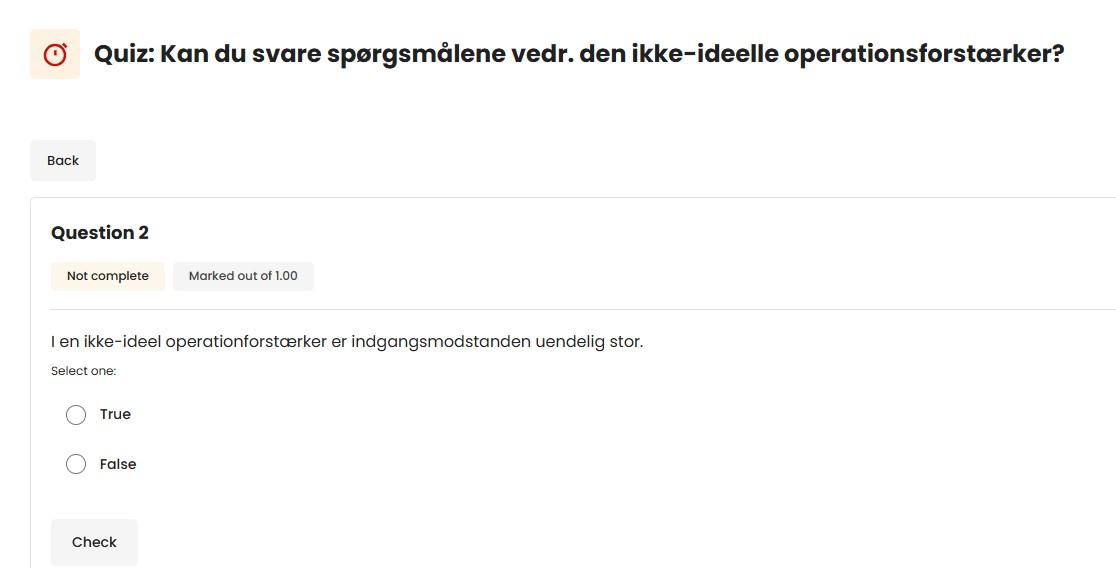
The quizzes are placed in Moodle, typically contain 5–6 questions related to the day’s topics, and remain available until the lecture ends. The intention is that students complete the quiz after having read the literature but before the lecture begins, as part of their preparation. However, at a semester group meeting, the students requested that the quizzes remain available until after the course examination has taken place. Availability has therefore been extended until the end of January. As mentioned, the quizzes are intended to ensure that the students have grasped the most fundamental concepts, and if they answer incorrectly, they are provided with the correct answer or an explanation. An example of a quiz question can be seen here:

The lectures consist of a series of micro‑lectures of 5–10 minutes, interrupted by mini-assignments of varying difficulty, similar to those solved in the problem‑solving exercises. This ensures that students train the practical application of the theory that has just been presented. Students sit around tables and choose freely whom they sit with. Some sit with their groups, others do not. This is followed by two hours of problem‑solving exercises, where the intention is that they primarily sit together with their project group. However, this is not monitored. The most important aspect is that they do not sit alone, so that they can engage in peer support while working on the tasks. The lecturer is physically present and answers questions.
The laboratory work is conducted as a flipped classroom. On days with laboratory sessions, the first two hours are allocated to self‑preparation through video materials that present theoretical and laboratory‑related content. Some videos also contain demonstrations of how to set up and use equipment in the laboratory. Afterwards, the students meet in the laboratory for two hours. The day’s activity is summarised at the beginning, and practical information is provided. Fifteen minutes are then allocated for questions before the students begin their work. The project groups (typically groups of 5–6 students) are split into two so that students work in smaller groups and have better opportunities to carry out the hands‑on laboratory activities. Many students clearly return to the videos and consult them during their work.
Moodle: For lecturers, it’s a helpful way to track daily activities. It requires some time to set up, but the investment is worthwhile. Students also value the structure. It is accessible and they can clearly see expectations, what they must learn, and how.
Quiz: A clear advantage is that students can assess their own understanding. The downside is the time needed to prepare questions and answers, but it’s possible to start small and gradually build a question bank.
Video: The benefit is that students can revisit the material repeatedly, even later during project work. A drawback is the lack of opportunity to ask questions while watching. To address this, 15 minutes are set aside for questions at the start of each lab session. However, few students use this time. Next time, a forum will be created where students can ask questions while watching. These can be answered by both fellow students and lecturers.
Originally, each lecture began with a display of anonymous statistics from the quiz responses. However, this proved ineffective, as experienced it as a focus on error‑finding, which was not the intention. The essential point is that they reflect themselves, and this purpose is also achieved without presenting these statistics.
Videos must be short, or at least include timestamps so students can easily navigate and revisit specific sections. We hope our plan to create a forum where students can ask questions while watching will prove beneficial.